Setting Computers: Computer

Cari Artikel Gratis di sini

Showing posts with label Computer. Show all posts
What is Emulator and Various Emulator
What is an emulator? Emulator or rather software emulator / emulator software is a computer program that allows to run a program (can be emulsified program from computer to computer for example, a Windows program that can be run on the Linux operating system using the Wine emulator software) in accordance with the original program on the computer. Examples emulator games, console games like Nintendo, Xbox, Playstation and can be run on a computer by installing the emulator itself alone (Nintendo emulators only for Nintendo games).

Actually, the goal is the creation of a software emulator for running software that is only available for certain platforms. And the goal is the creation of emulator games for gamers who want to reminisce with games or console games that are now no longer manufactured.
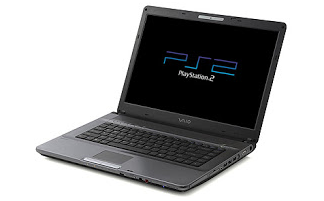
What is Emulator and Various Emulator

Computer game emulator allows to work in accordance with the emulsified system hardware. But the emulator is useless if not supported by the latest title. Games of this game is called ROM or Disk Image is a copy of the game results in a game cartridge or diskette format the system in question.

By using emulator we can play our favorite classic games like Mario Bross first, Contra, and Sonic the Hedgehog on our computers. Actually the concept Emulator is a process to mimic the internal design of a system. Today was a lot Emulator emulators are spread on the internet from emulator game, until the emulator Java Applications.

Various Emulator

Emulators Operating Systems


Emulators-Operating-Systems.jpg

This type of emulator can run an operating system on top of another operating system or call the Guest OS and Host OS. An example for this type of emulator that Sun Virtualbox, VMware, Xen, QEMU, and others.

Emulator Game Console

Emulator-Game-Console.jpg

Emulator can play a game of this type that is specifically made for the console and run certain games on the PC. The types of emulators is following types imitated gaming console or in other words the types of emulators are very specific. Examples of this game console emulator is ZSNES to run the Super Nintendo Entertainment System games, PSX-Fin to run games Sony Playstation One, and others.

Cell Phone Emulator

Cell-Phone-Emulator.jpg

Emulator of this type typically used in the manufacture of mobile applications for the melaku-debugging. Just like a real cell phone, this emulator has the kind of brand that will be targeted platforms for mobile applications, such as Nokia, Sony Ericsson, and others. Of course, apart from the default emulator from the phone app maker tool. There are many tools that can be used for the manufacture of mobile phone applications, namely Sun Java Micro Edition (formerly known as the Sun Java Wireless Toolkit) for Java-based phones, Qt for Nokia phones, and others.

Emulator Program Application

Emulator-Program-Application.png

This type of emulator can run application programs for a particular operating system on other operating systems. For example, when running the application program that was originally intended specifically for the Windows operating system on the operating system GNU / Linux. Famous example of this type of emulator is Wine, CrossOver and Cedega.

Graphics Card Emulator

Graphics-Card-Emulator.jpg

This type of emulator can emulate the graphics card on the PC. This application is very useful to play the games medium level graphics. An example for this type of emulator that 3D Analyzer.

Apart from the above five types of emulators, it is possible there are many types of emulators are circulating in the world. Emulator-emulator but not created simply because of the kinds of reasons. These reasons, among others:
  • Gamers want to reminisce in running games console or the old school where the operating system is no longer manufactured today.
  • Running software that is made only for certain platforms.
  • Checking programs created by the different platforms to run on other platforms.
If you ever wondered What is Emulator and Various Emulator? Perhaps the above article can be quite a bit to answer.
Article Writing Tips of IT (Information Technology) Good, Qualified, Communicative
Some of the readers may already have a qualified IT skills than others. But if spilled into written form was very difficult, and even feels more difficult than calculus problem solving. As if it was a dead end; how to make the opening line, what to write, how to make a closing sentence, etc.. Plus indecision when the article has been made but not being loaded with a variety of reasons.

It looks like a row of questions that I mentioned above are some of the questions on the mind of the reader who wants to write an article IT but still confronted with obstacles. In this article I try to share some simple tips in making an IT article, of course, based on the experience of writing I've done since I was in college today.

Article Writing Tips of IT (Information Technology)

How To Start Writing?
  1. Starting from the idea
  2. Article Writing Tips of IT (Information Technology) Good, Qualified, Communicative
    Beginning an activity of writing is the idea, that is what we will write. This idea can come from anywhere, anytime and anywhere. One example of my experience was when one day I received an email invite to join a mailing list in Coollist. From there I got the idea to make a post about ways to create a mailing list in Coollist, where most people are new to the mailing list at Yahoogroups. It could be the idea of ​​writing. Finally, the text I created and can be loaded in one of the computer magazines. Another example when the Sobig worm attacks, then this could be the idea of ​​writing about how the Sobig worm, which attacked and what other things that need to be known to the reader. It should be noted, if you want to create an IT article, look for interesting ideas and a lot of people need to know. For example, the idea of ​​writing "The Changing Desktop Wallpaper". It is the idea of ​​writing that is less attractive, because most people already know. But if the idea is "Changing Wallpaper in Desktop via the Registry", then become an interesting idea and probably most people do not know. With the development of information technology, IT problems presumably writing ideas are endless. On the other hand you have to continue to observe the development of IT to encompass new ideas are fresh and the needs of society.
  3. "Topography"
  4. Article Writing Tips of IT (Information Technology) Good, Qualified, Communicative
    To make an article you should also do a "topography". This is important if you want to send the text to the media. You need to know the media. Since each medium has a delivery style, writing style, depth discussion of different segments adapted to readers. The obvious example of this kind; You make writing a scientific IT entitled "Computer System Architecture" journal writing style and is filled with scientific terms. This kind of writing is certainly less fit when you send it to the general mass media, because the readers are not researchers or scientists. And vice versa. Each medium has its own unique segment of readers. With the "topography" of this you can know the ins and outs of the media is concerned. This will certainly increase the odds of your writing to be published in the media. To do a "topography" is the minimum you should frequently read relevant media on a regular basis. Not necessarily have to buy, you can make friends with stall keepers can read the newspaper so the media free of charge :).
  5. Framing Posts
  6. Article Writing Tips of IT (Information Technology) Good, Qualified, Communicative
    Next is to make the outline. Write down the things you want to convey to the reader. Adjust the depth of the material with the intended media. For example, in an article entitled "Viruses, Worms and Trojan", you need to explain: What is a virus, worm and trojan Why be called viruses, worms and trojans Why is it feared? What's so dangerous? Examples of viruses, worms and trojans How to protect your computer from viruses, worms and trojans Make an outline of the things you will write. Estimate also the length of your posts later on.
  7. Looking for Reference Materials
  8. Article Writing Tips of IT (Information Technology) Good, Qualified, Communicative
    Many reference sources for materials for your input in making paper. Could from books, magazines, tabloids, or the paper that you have for this collection. A writer should ideally have a personal library. It will help you later. Additionally you need to get used to visiting your local library. Other reference source is the Internet. The latter is very useful for you to obtain the most current information at low cost. The problem is the Internet is a "forest" of information. To find information about an issue like looking for a needle in the hay. For the use of search engines. It will be helpful in finding information. In addition, you do have to be diligent to access the internet to find places resources.
  9. Creating Posts
  10. Article Writing Tips of IT (Information Technology) Good, Qualified, Communicative
    "From where to start?", Maybe this is the first question on a new terbesit started to write. At the time of the first school, we are taught to start writing from the title, then to the opening or introductory sentence, continue to browse the problem and came to the conclusion that the cover. Everything chronologically. This method is not wrong. But I have to make its own way of writing. Start from anywhere that you like and that you think is easy. Can the closing sentence first, first can of contents, or from the title. Such as you have a good closing sentence and memorable, you can write first. Or if you have a "buzzword" good when inserted in the body of your manuscript, you can start from here. Make the title did not necessarily have to be done the first time. The title could you make the last time after the writing is finished. It all depends on your taste and spaciousness of you. This method is certainly easier and does not burden you. After writing goes wrong, you get in on the final stages of completion. At this stage you are trying to read your writing again to check. If you come across things that are wrong or less you can fix. At this stage you can do a "smoothing language" so that your writing be interesting to read.
  11. Starting from the Short Posts
  12. Feel heavy when you are not used to writing but to be forced to make a long post. Do not burden yourself, start easy for you. Make it brief writings about the specific problem. For example, about tricks or how to use a software. Posts about tricks usually only form the steps to do a thing. Examples are "Changing Wallpaper through the registry", or "Creating Files split with Winzip". If you already know how, you can write it down. Not much different from writing about tricks, writing about how to use the program was almost the same. It contained only a step-by-step use of the program coupled with brief information about the program. For example, "HMN Web Gallery Creator - Create Web Gallery In Instant" which was published in one of the computer magazines. With brief writings which you can use to practice your writing skills. Gradually you can write the articles that need large-scale two or three different editions are loaded.
  13. Write not Know Retirement
  14. Writing is a fun activity. Writing can be a profession that does not know the word retirement. Over time your professionalism increases. With writing you educate a lot of people from the writing alone. An Internet expert Indonesia is now also active in writing once said that writing was more devastating impact of conveying knowledge orally. In addition, if your writing is loaded of course there will be fees that can add to your pocket money. So, why not write from now?
How to Setting Computer Back to Factory Setting?
Here are some reasons to restore your computer back to factory settings: if you want to sell the computer to someone, download the software right the wrong, or removing memory. These steps will help you to get back to factory settings without any problems.

Difficulty: Easy
instructions

How to Setting Computer Back to Factory Setting?

Things You'll Need:
  1. CD factory settings 
  2. How to Use CD Restore Factory Settings 
  3. Be sure to transfer all the files that you want to save to a USB memory stick or burn to CD. 
  4. Insert the Restore Factory Settings into the CD drive. This CD is packed with your computer. 
  5. Confirm you want to restore the factory settings. The computer will begin to restore all settings. Do not interfere with your computer, as this process may take several hours. . 
  6. Reboot the computer to complete the process. 

How to Use Computer Rebooting the Start-Up

  1. Turn on your computer. Soon there will be a black screen. You can restore the factory settings without CD also. It will reset your BIOS.
  2. Press F1 when the black screen appears, you will enter the setup configuration mode. You will be presented with a menu. 
  3. Select Restore Factory. Your computer will do all the work for you. Like the CD, this process can take several hours. 

Warning

This process will erase everything but the operating system and factory-download the software.
List 5 Best Computer Company and the Largest in the World
Some of this year's PC business which consists of a laptop or desktop computer reportedly not as sweet as the first. Currently many consumers are tempted to use tablets or smartphones instead of buying a new computer device. IDC research results recorded a decrease to 14% in the first quarter. Several major computer vendors finally experiencing a significant drop in sales. However, some companies are still able to sell quite a lot of computers, especially large companies that are above. Here's a list of the name of the largest computer company in the world from the bottom to the top which is issued by IDC:


List 5 Best Computer Company and the Largest in the World


List 5 Best Computer Company and the Largest in the World


Asus

Asus ranks 5 of the list of names in the world's largest and best computer company. From the existing data capable Asus shipped 4.4 million units of computers in the first quarter of 2013 with 5.7% market share. The Taiwanese company sales decreased 19.2% compared to 2012 last year. Asus is now selling laptops and computer-based Windows 8 Not only that, Asus has also released a Windows tablet PCs as well as Android. The company also recently released Asus MemoPad, an Android tablet PC is priced. Currently Asus is also trying to make a breakthrough on the Android device and called PadFone. PadFone is a smartphone that can be incorporated with the PC.

Acer

Acer only able to ship 6.2 million units of laptops and computers in the first quarter of 2013 and reach a market share of only 8.1%. Companies that are in a position to fourth in the list of name-largest PC company in the world is suffering from a significant percentage decrease in the rate of 31.1%. And similar to that done by the other PC vendors, the company is trying to anticipate consumer transition to a tablet or smartphone. The company created a line of android tablet, named Iconia tablets and also Windows. Acer company is also trying to jump into the smartphone industry. Although their work is not very successful, Acer smartphone brands continue to release new models consistently.

Dell

The company is able to make himself a great third place in the list of names in the world's largest and best PC company. This vendor had shipped 9 million units in the first quarter of a computer in 2013 with market share of 11.8%. The company experienced a drop in sales of 10.9% compared to the previous year in 2012 PC company founded by Michael Dell was not as good as it could be said once again. The company also try your luck in the world of smartphones, but the same fate as fellow underneath, Acer. The company also does not reap a fortune as expected. Some time ago the company reportedly will not sell shares again the stock exchange floor. The company will be managed entirely by Michael Dell himself.

Lenovo

Ranks second on the list of largest and best computer company name, making it still remains exis vendor in the PC industry. Lenovo recorded able to do as much as 11.7 million shipments of computer items successfully targeting their products and market share up to 15.3%. Lenovo is the only PC manufacturer shipments devices does not degrade like other peers. Company from China is indeed on the rise, while other PC companies are experiencing the unpleasant. In the smartphone industry, the company also began to flap its wings. Especially in his home country, China. In the country's bamboo curtain Lenovo gain market share very significant.

Hewlett Packard

The company tops the list of names released by IDC company. The company recorded can ship as many as 12 million units of computers in the first quarter of 2013, which stood at 15.7% market share. This data is dropped as much as 23.7% in 2012 in one period. The computer maker has long been become the largest computer company in the world. Triumph of the company is also supported by the success of Compaq brands that also belong to this company. However, HP have to worry with the intense pressure of aggressive Chinese vendors.
HP Slate 21 Pro - Latest Desktop Computers with System Android Jelly Bean
Android system is likely to continue to grow in the 2014's. After the outbreak in smartphones, now turn to the desktop computer infected this green robot operating system. At CES 2014, manufacturers do not miss Toshiba computer product showcase its latest all-in-one, HP Slate 21 Pro, which interestingly equipped with the Android operating system. Latest android desktop computer is also equipped with a kitchen runway best for office activities to learn. Vendors expect this new device gives an interesting experience for you that is saturated with the existing business.


HP Slate 21 Pro - Latest Desktop Computers with System Android Jelly Bean


HP Slate 21 Pro - Latest Desktop Computers with System Android Jelly Bean 

Design

Computer All in One HP Slate 21 Pro has a minimalist design and sturdy. As an all-in-one PC, all components of the computer in this case the CPU is located on the back of the monitor. This device comes with a size of 495x493x166 mm with a fairly heavy weight 10 kg.

HP claims the latest computer itself is quite sturdy and resilient as a new desktop computer. Part monitor designed kick stand is quite simple and not too rigid so as to be set to provide a comfortable viewing angle. You can even make this device like a tablet.

Display

Minimalist computer using the HP Slate 21 pro monitor LCD screen 21.5-inch IPS panel with a resolution of 1920 x 1080 pixels Full HD. The screen is equipped with technology touchsreen. Screen size is wide enough detail display images and video with HD quality. You even get three navigation buttons like that contained in the tablet or smartphone.

Audio

For the audio problem, HP pinning two speakers and subwoffer. To support this sound device, also pinned Envy Audio technology and Beats Audio that sounds more clear and jarring.

Ports and Webcam

to support the functions of the computer, latest desktop computers made ​​by HP widescreen is equipped with a 2 megapixel webcam Full HD 1080 pixels. In the meantime, there are several ports that are placed also on the side and back of the monitor for easy connection of this device to another device. There are 4 USB 2.0 ports, HDMI input, VGA in / out, audio ports, power port, until the internal TV tuner optional. There are also several audio ports as speaker microphone jack and a Micro SD slot.

Performance

As a new desktop computer, of course HP Slate 21 Pro has a specification that is not unusual for a business computer. However, you can not underestimate the performance of this device. This minimalist computer diotaki NVIDIA Tegra 4 2.5 Ghz speed. Additional 2 GB of RAM which can be upgraded to 8 GB also further maximize device performance All in One PC's screen width. This configuration brings you highly qualified activities such as kitchen runway impressed despite a tablet.

Graphics Performance

Minimalist computer made ​​by HP has qualified dami NVIDIA graphics processor with 1GB DDR3 VRAM. It is expected that the combined processor and graphics processor from Nvidia, this device does not lag when playing a game with high graphics level.

Software

The latest HP desktop computer has been equipped with the operating system Androd 4.3 Jelly Bean. With this operating system, a wide-screen features require a touchscreen in navigation. Nevertheless, this computer can be operated with a mouse and a wireless keyboard.

Configuration and Other Features

If you want to add a mouse and keyboard devices, HP has been providing wireless technology or a USB slot which can be used for a wireless keyboard and mouse. You can also tether the optional external DVD Super Multi / Blu-ray Writer. To save the data - the data, HP internal storage memory capacity is only 8 GB and 128GB SSD.

Price

HP has introduced the All in One PC widescreen, the HP Slate at CES 2014 pro 21 you can buy them online in the range of $ 400-500 comparable with the specifications that you want.

Conclusion

HP did not seem to want to pass up the middle of the open gap in the marketplace widescreen desktop computer gadgets. The release of the latest desktop computer, the HP Slate 21 pro provides a new color in the computer world. Equipped with Android 4.3 system, this device is more like a giant tablet mmang than an office computer. Nevertheless, some additional helpful applications pre-loaded, such as Kingsoft Office Suite, Citrix XenMobile, vernote, Skype, and HP Classroom Manager, maximize the device.
How to Increase the File Transfer Speed to and from an External Disk
How to Increase the File Transfer Speed to and from an External Disk - Copying data from and to an external hard disk or flash disk is a routine activity that we often do in our daily activities, especially for students and workers. However, this routine work can be very annoying when the process takes no moment.

The reason is because the speed of the transfer and the external disk does not conform to the standards so as to send the data to the small size even you take a few minutes.

There are some Tips To Increase the File Transfer Speed to and from an External Disk that can be tried, not complicated but can help resolve your problem.

By default the external disk is set to Quick Removal mode that allows users to remove the device, but it slows down the performance. Thus, these settings need to be changed.

How to Increase the File Transfer Speed to and from an External Disk


1. The trick, make sure the flash drive or an external drive connected to the computer and then click the start menu and find the Device Manager.


2. In the next window find the USB drive and double click on the icon.


3. In the next window, click the Policies tab and select Better Performances and click the OK button.


That was one way to increase the file transfer speed to and from an external disk, but if you decide to use this method please always use the appropriate removal procedures and absolutely perfect or you will lose the data on the disk.

Read previous topic : How to Solve High CPU Usage Due To Windows Bugs